Tablets and iPads for Café Work: A Spotfinder Guide
Tony
Finding Your Spot on the Smallest Table
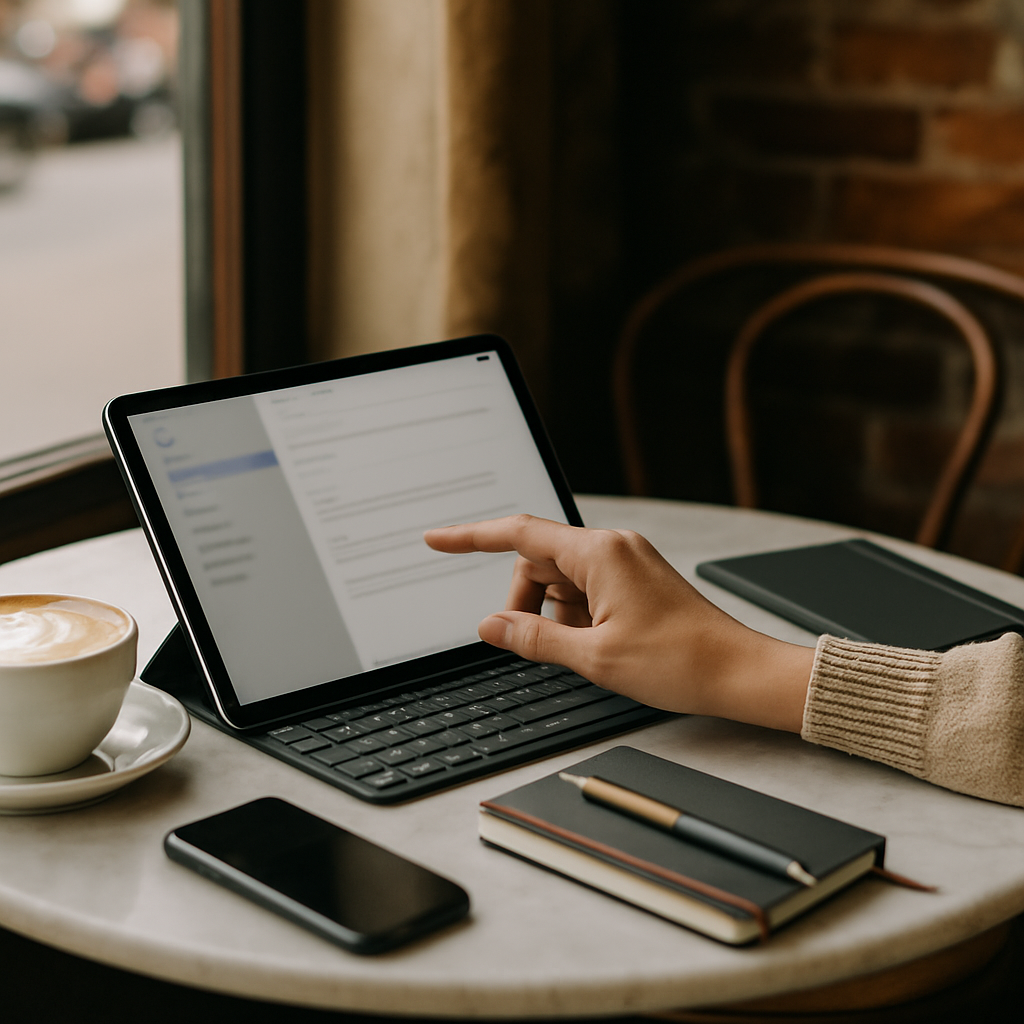
Imagine you walk into your favorite local café on a busy Tuesday morning. Every large table is already taken by people with massive laptops and tangled charging cables. You look around and see only one tiny, round marble table left in the corner. If you had a heavy 16-inch laptop, you would probably have to leave and find another place. But today, you reach into your small shoulder bag and pull out a sleek, lightweight tablet. It fits perfectly next to your cappuccino with plenty of room to spare for your notebook. You press one button, and within seconds, you are answering emails and drafting your next big project.
This scenario is becoming more common every day as people move away from traditional office setups. Working from a café offers a unique energy that many remote workers find inspiring for their daily tasks. However, the success of your session often depends on the tools you choose to bring with you. Choosing the right device can mean the difference between a productive morning and a frustrated trip back home. Tablets and iPads have evolved from simple media players into powerful machines capable of handling professional workloads.
In this guide, we will explore why these mobile devices are changing the way we think about remote work. You will learn how to pick the best model for your specific needs and how to set it up for success. We will look at everything from battery life to screen quality and the best accessories to use. By the end, you will understand how to turn any small café table into a high-powered personal office. This knowledge is essential for anyone who wants to use Spotfinder to discover the best work-friendly locations in their city.
What Exactly is a Tablet for Work?
A tablet is a portable computer that consists mainly of a single, flat touch screen. You can think of it as a digital sheet of paper that can run almost any software you need. Unlike a traditional laptop, it does not have a permanent keyboard attached to the screen. You interact with it using your fingers or a special digital pen called a stylus. This makes the device extremely thin and easy to carry throughout a busy day of café hopping.
Think of a tablet like a multi-tool in a Swiss Army knife compared to a heavy dedicated kitchen knife. A laptop is powerful and sturdy, but a tablet is flexible and fits in places the laptop cannot reach. It combines the simplicity of a smartphone with the larger screen space of a computer. This middle ground is perfect for the modern remote professional who values agility and speed. You can start a task on the train and finish it at your favorite coffee shop without missing a beat.
There are three main things you should know about tablets before you start. First, they focus on "instant-on" technology, meaning they wake up as fast as your phone. Second, they rely heavily on apps, which are specialized programs designed for specific tasks like writing or drawing. Third, they are designed to be used without being plugged into a wall for many hours. These features make them the ultimate companion for Coworking in Cafés where power outlets are often hard to find.
Core Attributes of Mobile Work Devices
When you start looking at different models, you need to understand what makes one better than another. The first root attribute is portability, which refers to how easy it is to carry the device. A good tablet should feel like a thin book that you can hold with one hand comfortably. If a device is too heavy, you will find excuses to leave it at home instead of taking it to work. High portability allows you to be more spontaneous with your choice of workspace throughout the city.
The second root attribute is battery life, which measures how long the device stays powered on. In a café environment, you cannot always sit next to a power outlet because other people might get there first. A modern tablet should easily last between eight and twelve hours on a single full charge. This freedom from cables allows you to sit at the best window seats or quiet corners without worry. When you think about Laptop and Device Considerations, battery performance is usually the top priority for any mobile professional.
The third attribute is the interface, which is the way you talk to and control the computer. Most tablets use a touch-first interface, meaning everything is designed to be tapped with your fingers. Some models also support a stylus, which is a digital pen used for writing notes or drawing precise lines. This input method is a rare but powerful attribute that distinguishes tablets from traditional laptops. It turns your device into a creative canvas that feels more natural than using a plastic mouse or a trackpad.
The Essentials in a Nutshell
- Portability: Look for devices that weigh less than 1.5 pounds for maximum comfort.
- Battery: Ensure the device offers at least 10 hours of active web browsing time.
- Connectivity: Models with built-in Cellular (5G) are best for unreliable café WiFi.
- Screen: A brightness of 500 nits or more is needed to see clearly near windows.
Screen Quality and Lighting Challenges
Working in a café often means dealing with unpredictable lighting from large windows or bright overhead lamps. A tablet's screen is its most important feature because you look at it for every single task. You need to look for a screen that has high "nits," which is a word used to measure brightness. A screen with low brightness will act like a mirror in a sunny café, showing only your reflection. High brightness allows the colors and text to stay sharp and readable even in direct sunlight.
Screen size is another important factor when you are deciding between different models and brands. Smaller 8-inch tablets are very portable but might feel cramped for doing complex spreadsheets or writing long reports. Larger 12.9-inch tablets offer plenty of space for multiple apps but can feel as heavy as a small laptop. Most café workers find that an 11-inch screen is the "Goldilocks" size that is just right for most tasks. It provides enough room for your work while still fitting on the tiniest bistro tables you might find.
You should also consider the "refresh rate" of the display, which is how many times the image updates every second. A higher refresh rate makes scrolling through websites feel much smoother and more responsive to your touch. This might seem like a small detail, but it reduces eye strain during long work sessions. When your eyes stay fresh, you can stay focused on your deep work for much longer periods. Always test the screen in different lighting if you have the chance before making a final purchase.
Understanding Software and Productivity
The software on a tablet is different from what you find on a traditional desktop computer or laptop. Most tablets run on mobile operating systems like iPadOS or Android, which are designed for efficiency and security. This means that apps are "sandboxed," which is a term that means apps are kept separate from each other. This separation makes your device much harder to infect with viruses compared to older computers. However, it also means that some complex professional software might look and feel a little different.
For most café-based tasks, the mobile versions of popular apps are more than enough for professional results. You can easily use Microsoft Word, Google Docs, Slack, and Zoom on any modern tablet or iPad. These apps are optimized to save battery and work perfectly with touch screens or portable keyboards. Many people find that the simplified interface of tablet apps helps them focus on one task at a time. This reduction in clutter can lead to a significant boost in your overall daily productivity levels.
Semantic relationships help us understand how these devices fit into our larger digital lives and work habits. An iPad (Entity) functions as (Predicate) a mobile workstation (Object) for many modern freelancers and remote employees. A modern tablet (Entity) possesses (Property) high portability (Value) compared to any traditional desktop setup. Furthermore, the iPad Pro (Entity) is a member of (Category) high-performance mobile devices designed for professional creative work. Understanding these connections helps you see why tablets are a valid choice for Laptop and Device Considerations.
Connectivity and Staying Online
A tablet is only truly useful in a café if it can connect to the internet reliably. Most people rely on the free WiFi provided by the coffee shop to get their work done. However, public WiFi can sometimes be slow, crowded, or even unsafe if it is not set up correctly. This is where Mobile Hotspot and Backup Connectivity becomes a very important topic for any serious remote worker. You should always have a plan for what to do if the café's internet suddenly stops working.
Some tablets come with a built-in cellular chip, which allows them to connect to the internet just like your smartphone. This is a unique attribute that gives you the freedom to work from literally anywhere without asking for a password. If your tablet does not have this feature, you can use your phone to share its internet connection. This process is called "tethering" and it is a lifesaver when the café WiFi is too slow for your calls. Being independent of local WiFi makes you a much more flexible and reliable remote professional.
Security is another critical part of staying online while you are working in public spaces like cafés. You should always consider using a VPN, which stands for Virtual Private Network, to protect your personal data. A VPN acts like a private tunnel for your information, keeping it safe from people who might be watching the network. When you are connected to the internet, your device sends and receives a lot of sensitive information every minute. Keeping that data encrypted is a simple step that prevents many common digital headaches for beginners.
| Connection Method | Pros | Cons |
|---|---|---|
| Café WiFi | Free, usually fast enough for basics. | Can be unstable or insecure. |
| Phone Hotspot | Private, works almost anywhere. | Drains phone battery quickly. |
| Built-in 5G/LTE | Most convenient, always online. | Requires a separate monthly data plan. |
Choosing Your Essential Accessories
While a tablet is great on its own, adding a few accessories can turn it into a powerhouse. The most important accessory for most people is a portable keyboard that protects the screen when closed. There are two main types: folio keyboards that wrap around the device and mechanical keyboards that sit separately. A folio keyboard is better for small café tables because it takes up very little extra space. It allows you to type quickly without the fatigue that comes from tapping on a glass screen all day.
The second essential accessory is the stylus, such as the Apple Pencil or the Samsung S-Pen. Even if you are not an artist, a stylus is great for signing digital documents or highlighting text. It offers much more precision than your finger when you are trying to click small buttons in a complex app. Using a stylus also keeps your screen clean and free of fingerprints, which is helpful in bright lighting. This tool is a key part of the Essential Café Work Setup and Equipment for many productive travelers.
You should also think about ergonomics, which is the study of how to sit and work comfortably. Looking down at a flat tablet on a table for hours can cause significant pain in your neck. A small, foldable stand can lift the tablet to eye level, which is much better for your posture. Pair this with a small Bluetooth mouse, and you have a setup that rivals a full desktop computer. These small additions make a big difference in how you feel at the end of a long workday.
The Step-by-Step Guide to Your First Session
Getting started with tablet work in a café is easy if you follow a simple plan. First, make sure your device and all your accessories are fully charged the night before. Second, download any large files or apps you might need while you are still on your fast home internet. This prevents you from wasting time waiting for downloads at the café where speeds might be slower. Third, pack everything into a small, organized bag so you can find your gear quickly when you arrive.
When you enter the café, look for a seat that fits your specific needs for that morning session. If you need to do a video call, find a quiet corner away from the loud espresso machine. If you are doing deep work, a seat facing a wall or a window might help you stay focused. Once you sit down, buy a drink or a snack first to show respect to the café owners. Only then should you set up your tablet and start your work timer for the day.
Avoid the common mistake of bringing too many accessories that you do not actually need for your tasks. Every extra cable or gadget is just one more thing to manage and potentially lose in a busy public space. Keep your setup minimal so that you can pack up and leave in less than sixty seconds if necessary. This agility is one of the greatest benefits of using a tablet instead of a traditional laptop. It allows you to move between different spots or leave for a meeting with zero stress or hassle.
- Check Battery: Ensure your tablet is at 100% before you leave the house.
- Pick the Spot: Use Spotfinder to find a café with good seating and light.
- Connect Securely: Turn on your VPN before opening any work-related apps or emails.
- Focus: Use "Do Not Disturb" mode to block social media notifications while you work.
- Stay Hydrated: Order water alongside your coffee to keep your brain sharp and active.
Comparing Different Models for Beginners
Choosing between an iPad and an Android tablet is often the biggest decision for any new buyer. iPads are very popular because they are easy to use and have the best selection of professional apps. They also hold their value very well, so you can sell them for a good price later. Android tablets, like the Samsung Galaxy Tab series, often offer better screens for a lower price point. They are also more flexible if you like to customize how your home screen and folders look.
Within the Apple world, the iPad Air is often the best choice for most people working in cafés. It is very powerful and supports all the best accessories without being as expensive as the iPad Pro. The iPad Mini is great if you move around a lot, but the screen might be too small for long hours. When you evaluate your Laptop and Device Considerations, think about how long you plan to keep the device. Investing in a slightly faster model now can save you money because it will stay fast for many years.
For those on a tight budget, older "refurbished" models are a fantastic way to get a high-quality device. A refurbished device is a used tablet that has been inspected and repaired by the manufacturer to work like new. You can often find a professional-grade tablet for the same price as a brand-new basic model. This allows you to have a better screen and more storage without spending too much money. Always check that the model you buy still receives software updates to keep your data safe and your apps working.
The Five Key Takeaways for Success
Working from a café with a tablet is a skill that gets better the more often you do it. The most important thing to remember is that portability is your greatest strength in a busy urban environment. Do not try to recreate your entire home office on a tiny café table; embrace the minimalist lifestyle. Focus on the core tasks that your tablet does best, like writing, researching, and communicating with your team. This focused approach will make your work sessions more enjoyable and much more productive overall.
Secondly, always prioritize your battery life and your internet security when you are working in public. A dead battery or a hacked account can ruin your day much faster than a noisy neighbor or a cold coffee. Thirdly, choose accessories that add real value to your workflow, like a good stylus or a slim keyboard. These tools should help you work faster, not make your bag heavier or your setup more complicated. Keep your equipment simple so that your mind can stay clear for the work that truly matters.
Can I really replace my laptop with an iPad?
For about 80% of people, the answer is a big yes. If your work involves writing, email, web research, and basic photo editing, a tablet is perfect. However, if you do heavy video editing or complex coding, you might still need a laptop for some tasks. Many people use a "hybrid" approach where they use a tablet in the café and a laptop at home.
Is it rude to work in a café for hours?
It is not rude as long as you follow basic café etiquette. Buy a drink or food every 90 minutes and avoid taking up a large table during the lunch rush. Most café owners appreciate regulars who are quiet and respectful of the space. Being a "good guest" ensures that cafés remain open and welcoming to remote workers.
Which size is best for the smallest tables?
The 11-inch size is widely considered the best for café work. It is large enough to see two apps side-by-side but small enough to leave room for your coffee. It also fits easily into small bags and weighs very little, making it the king of portability. If you only ever have a tiny corner to work in, this is the size you should choose.
Next Steps for Your Remote Work Journey
Now that you have learned the basics of using a tablet for work, it is time to put it into practice. Start by looking at your current daily tasks and seeing which ones could be done on a touch screen. You might be surprised to find that many of your most important jobs are actually easier on a tablet. Once you have your device, your next step should be to find the perfect location to test it out. Use Spotfinder to browse local cafés and see which ones have the best reviews for remote workers.
Don't be afraid to experiment with different setups until you find the one that feels most natural for you. You might find that you prefer a specific type of chair or a certain amount of background noise. Every person is different, and the beauty of café work is that you can choose a new office every single day. As you become more comfortable, you will start to notice the small details that make a huge difference. You are now ready to join the growing community of mobile professionals who work from anywhere they choose.
If you enjoyed learning about tablets, you should also look into other related topics to improve your setup. You could read about the best noise-cancelling headphones to help you stay in the zone in loud environments. Or, you could explore different time-management techniques that are specifically designed for people who work in public. There is always more to learn about the world of remote work and location independence. Your journey toward a more flexible and exciting professional life has only just begun.