Essential Café Work Setup and Equipment – Spotfinder.work
Tony
The Search for the Perfect Workspace
Imagine you finally find that perfect window seat in your favorite local haunt. The sun is shining beautifully through the glass. You open your laptop, ready to conquer your to-do list for the day. Suddenly, you realize you cannot see a single thing on your screen because of the glare. You reach for your charger, only to find the nearest outlet is five tables away. Your focus shatters before you even type the first word of your report.
This situation happens to almost everyone who tries working from a coffee shop for the first time. We often think that a laptop and a cup of coffee are all we need. However, a successful session requires more thought and the right tools. Learning about Essential Café Work Setup and Equipment is the first step toward true professional freedom. It transforms a frustrating morning into a highly productive afternoon of deep work.
In this guide, you will learn exactly what to pack in your bag. We will look at how to choose devices that handle bright light and loud noises. You will discover how to stay powered up even when the walls have no plugs. Understanding your gear helps you enjoy the benefits of Coworking in Cafés without the usual stress. Let us dive into the world of mobile productivity together.
Understanding Your Mobile Office Setup
What exactly is Essential Café Work Setup and Equipment? Think of it as a portable version of your home office. At home, everything is stationary and predictable. In a café, the environment changes every hour. People come and go, the music gets louder, and the lighting shifts as the sun moves. Your setup must be flexible enough to handle these changes.
A good analogy is a professional chef’s knife kit. A chef does not take their whole kitchen to a catering event. They take a specific set of tools that they know will work in any environment. Your "knife kit" consists of your computer, your power source, and your comfort tools. This collection of items allows you to create a "bubble" of productivity anywhere you go.
- Portability: Every item must be light enough to carry for long periods.
- Reliability: Your gear should not fail when you are far from home.
- Adaptability: Tools must work in cramped spaces or bright sunlight.
When you master these three points, you become a location-independent professional. You no longer worry about where you sit. You know your equipment can handle the situation. This mindset is the foundation of modern remote work success. It allows you to focus on your tasks rather than your surroundings.
Laptop and Device Considerations
Your computer is the heart of your mobile office. When looking at Laptop and Device Considerations, you must think about more than just speed. In a café, the most important feature is often the screen brightness. Scientists measure brightness in "nits." A nit is a unit of visible light intensity. For working near windows, you generally want a screen with at least 400 nits of brightness.
Battery life is the second critical factor in your Laptop and Device Considerations. Some laptops last four hours, while others last twenty. If you plan to spend all day in a shop, choose a device with a long-lasting battery. This reduces your "outlet anxiety," which is the fear of your computer dying mid-sentence. A matte screen is also better than a glossy one because it reduces reflections from overhead lights.
You should also consider the size of your device. A huge 17-inch laptop might be powerful, but it will not fit on a tiny round café table. Many experienced remote workers prefer 13-inch or 14-inch models. These sizes offer the best balance between screen space and portability. Remember, your device is the subject of your work, and its attributes define your daily comfort.
Another important aspect of your device choice is the keyboard. Café tables are often at the wrong height for long typing sessions. A laptop with a high-quality, tactile keyboard makes a big difference. If you use a tablet, make sure your keyboard cover is sturdy. It should not wobble when the person at the next table accidentally bumps your surface.
Power and Charging Solutions
Finding an available power outlet in a busy café is like finding a needle in a haystack. This is why you must bring your own Power and Charging Solutions. A high-capacity power bank is a lifesaver for any mobile worker. These devices are like external fuel tanks for your electronics. Look for one with "Power Delivery" or PD technology. This means it can charge a laptop, not just a smartphone.
A second item in your Power and Charging Solutions kit should be a long charging cable. Standard cables are often only three feet long. This is rarely enough to reach a wall plug from your chair. A six-foot or even a ten-foot cable gives you much more freedom. You can sit where you are comfortable, not just where the electricity is located. This small change reduces your stress significantly.
Think of your power setup as a safety net. Even if the café is full and you have to sit in a "dead zone," you can still work. You are no longer a slave to the architecture of the building. This independence is a key part of the Essential Café Work Setup and Equipment philosophy. It ensures that you stay productive regardless of the shop's layout.
The Most Important Thing in Short: Never rely on the café to provide power. Bring a high-capacity power bank (20,000mAh or more) and a long USB-C cable. This allows you to work from any seat, even the ones far from the walls.
Audio Equipment for Café Environments
Cafés are naturally noisy places. The sound of espresso machines, clinking cups, and loud conversations can be distracting. This is why Audio Equipment for Café Environments is non-negotiable. Active Noise Cancelling (ANC) headphones are the gold standard here. ANC technology uses microphones to listen to outside noise and then creates "anti-noise" to cancel it out. It is like a magic mute button for the world around you.
When selecting Audio Equipment for Café Environments, consider your comfort over several hours. Over-ear headphones often provide the best noise isolation but can get hot. In-ear buds are more portable and discreet. If you take many calls, look for a model with a "background noise rejection" microphone. This ensures that your clients hear your voice, not the barista shouting names in the background.
Music choice also plays a role in your focus. Many workers use "white noise" or "lo-fi beats" to create a steady acoustic environment. This helps your brain enter a state of "flow," where time seems to disappear. Your headphones are the gatekeepers of your attention. They protect your mental space from the chaotic sounds of a public area. High-quality audio gear belongs to the category of focus-enhancing tools.
Bags and Carrying Solutions
You need a safe way to transport all this expensive gear. Bags and Carrying Solutions are the protective shells for your mobile office. A good backpack should have a dedicated, padded compartment for your laptop. This prevents your computer from getting scratched by your keys or power bank. Look for water-resistant materials in case you get caught in a sudden rain shower on your way to the shop.
Organization is another key feature of Bags and Carrying Solutions. If you have to dig through a messy pile of cables every time you want to work, you will waste time. Use small pouches or "tech organizers" to keep your cords neat. This makes setting up and packing away much faster. It also helps you notice immediately if you have forgotten something at the table before you leave.
Security is a major concern when you are out in public. Some bags come with "anti-theft" features like hidden zippers or slash-resistant fabric. While you should never leave your bag unattended, these features provide extra peace of mind. A comfortable bag makes the walk to your favorite café more enjoyable. It distributes the weight evenly across your shoulders, preventing back pain later in the day.
Ergonomic Accessories for Café Setup
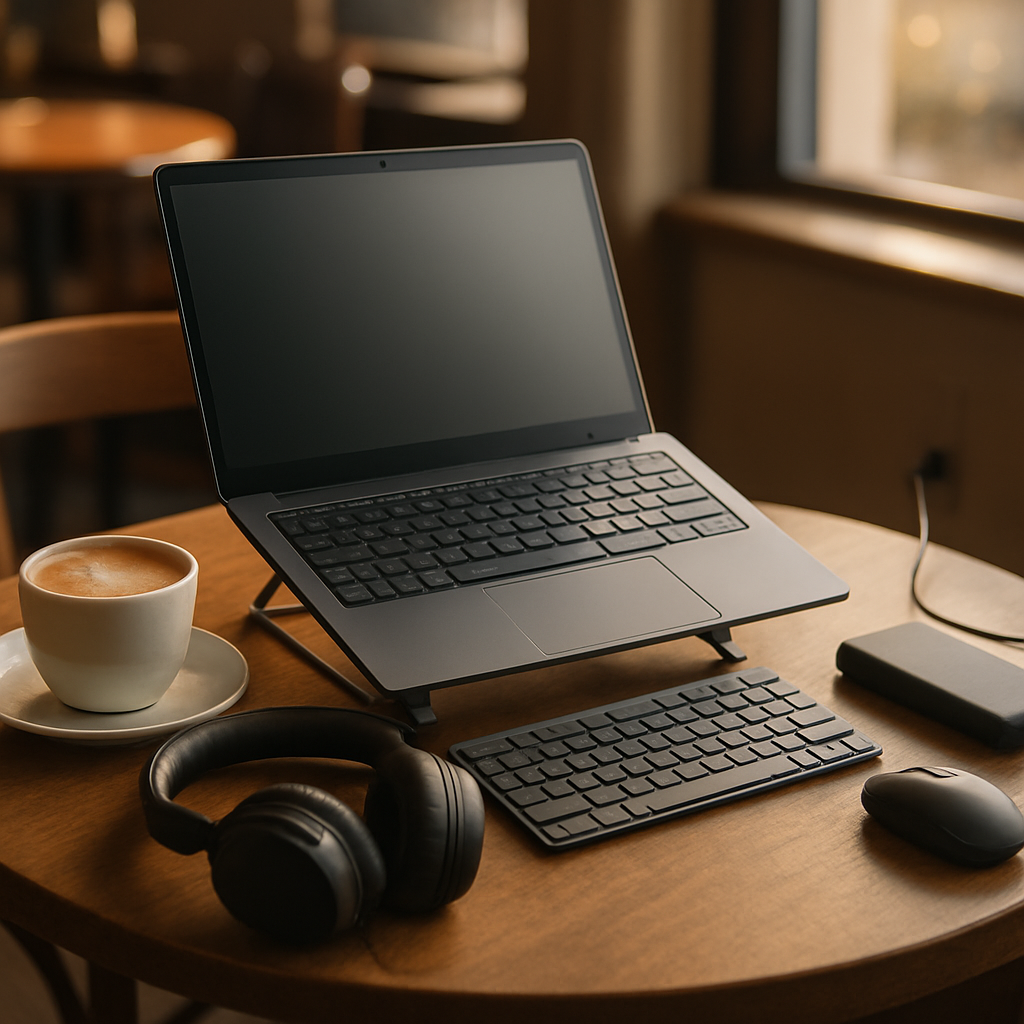
Working on a laptop for hours is notoriously bad for your neck and back. Ergonomic Accessories for Café Setup help fix this problem. A portable laptop stand is the most important tool in this category. It raises your screen to eye level so you do not have to hunch over. Even a small lift of a few inches can prevent "tech neck," which is a common strain injury.
When you use a stand, you will also need Ergonomic Accessories for Café Setup like a separate keyboard and mouse. Using the laptop's built-in keyboard while it is on a stand is uncomfortable and bad for your wrists. A compact, wireless keyboard fits easily in your bag. A small travel mouse is much more precise than a trackpad. These tools allow you to maintain a healthy posture even at a cramped coffee table.
Think of ergonomics as an investment in your future health. It might feel strange to set up a stand and keyboard in public at first. However, your body will thank you after a long week of work. Many other people involved in Coworking in Cafés use these tools too. It is a sign that you take your work and your well-being seriously. You are creating a workspace that supports your body, not one that breaks it down.
Summary Table: The Café Work Toolkit
| Category | Essential Feature | Beginner Tip |
|---|---|---|
| Devices | High Nit Screen | Aim for 400+ nits to fight sun glare. |
| Power | 20,000mAh PD Power Bank | Bring a 2-meter cable for flexibility. |
| Audio | Active Noise Cancelling | Use "Transparency Mode" to hear your order. |
| Carrying | Padded Laptop Sleeve | Backpacks are better for your spine. |
| Comfort | Portable Stand | Eye level screen = no neck pain. |
Connecting Your Gear to Your Strategy
Your Essential Café Work Setup and Equipment does not exist in a vacuum. It is directly linked to your choice of location. For example, if you know a café has huge windows, your laptop screen brightness becomes your most important attribute. If the shop is famous for its lively atmosphere, your noise-cancelling headphones become the priority. You must match your tools to the environment you choose.
Using a platform like Spotfinder.work helps you make these decisions. You can check if a place has reliable WiFi or plenty of plugs before you even leave your house. This means you can pack lighter if you know the "Power and Charging Solutions" are already provided by the venue. Knowledge of the location allows you to filter your attributes and only bring what you truly need. This is the difference between a beginner and a pro.
When you align your equipment with your environment, everything becomes easier. You spend less time worrying about technical problems. You spend more time doing the work that actually matters. This synergy is the true goal of Coworking in Cafés. It is about creating a harmonious relationship between your tools, your surroundings, and your brain. That is how you achieve peak performance in a public space.
How to Set Up Your Café Office: A Step-by-Step Guide
Setting up your workspace correctly only takes a few minutes, but it changes your whole day. Follow these simple steps to ensure you are ready for a productive session. This routine will help you feel more professional and organized.
- Scout the Location: Use Spotfinder to find a work-friendly café nearby. Check for reviews about WiFi speed and noise levels.
- Choose Your Seat Wisely: Look for a table that is stable and not directly under a loud speaker. Try to find a spot with a wall behind you for privacy.
- Deploy Your Ergonomics: Take out your laptop stand first. Set your screen to eye level and connect your external keyboard and mouse.
- Manage Your Power: Plug in your long cable if an outlet is nearby. If not, place your power bank on the table where it won't be in the way.
- Create Your Audio Bubble: Put on your noise-cancelling headphones. Start your focus music before you even open your browser.
- Clear the Clutter: Put your bag under the table or hang it on a hook. Only keep the essentials on the table surface.
A common mistake for beginners is trying to set everything up at once. This leads to a tangle of wires and a feeling of chaos. By following a specific order, you stay calm and focused. You also look more like a regular "pro" who knows what they are doing. This can actually make the café staff more welcoming toward you, as you appear respectful and organized.
Common Pitfalls for Beginners
One major error is forgetting that cafés are shared spaces. You should never "spread out" too much. If you have a massive setup that takes up a four-person table, you might be asked to move. Keep your Essential Café Work Setup and Equipment compact. This shows respect for the business and other customers. It also makes it much easier to pack up quickly if you need to use the restroom.
Another mistake is ignoring cybersecurity. Public WiFi is convenient, but it is not always safe. Always use a Virtual Private Network (VPN) when working in a café. A VPN is a service that encrypts your internet connection. This prevents hackers from seeing your passwords or private data. Think of it as a digital lock for your mobile office. It is just as important as the physical lock on your bike.
Lastly, don't forget the "human" element. A café is not a free office; it is a business. Always buy something every few hours. Be kind to the baristas. If you are a good customer, they will be more likely to help you if you need a specific seat or a favor. Your social setup is just as important as your technical setup for long-term success.
Frequently Asked Questions
Is it rude to bring a laptop stand to a café?
Generally, no. Most modern cafés are used to remote workers. As long as your stand doesn't take up extra table space, it is perfectly fine. It shows you are there to work seriously.
What should I do if the WiFi is too slow?
This is why you should always have a backup plan. Learn how to use your phone as a "mobile hotspot." This allows you to use your cellular data for your laptop. It is often faster and more secure than public WiFi.
How do I keep my gear safe when I go to the bathroom?
The safest rule is: never leave your electronics alone. Pack your laptop and expensive gear into your bag and take it with you. If you are a regular and know the staff, you might ask them to watch it, but it is always a risk.
Your Path to Productivity
Mastering your Essential Café Work Setup and Equipment is a journey. You don't need to buy the most expensive gear on day one. Start with what you have and notice where the frustrations are. If your neck hurts, get a stand. If you can't hear yourself think, invest in better headphones. The goal is to build a system that works specifically for your needs and your style of work.
The more you practice, the more natural it becomes. Soon, you will be able to set up your office in under two minutes in any shop in the city. You will have the freedom to work from anywhere without losing your focus. This is the ultimate reward for your effort. You are no longer tied to a single desk or a single view. The whole world becomes your potential office.
In summary, remember these five key takeaways:
- Prioritize Visibility: Choose high-nit screens to handle variable café lighting.
- Own Your Energy: Use power banks and long cables to stay independent of wall outlets.
- Protect Your Focus: Noise-cancelling audio is your best defense against distractions.
- Respect Your Body: Use stands and external peripherals to maintain healthy posture.
- Be a Good Guest: Keep your setup small and support the local businesses you visit.
Now that you know what to pack, your next step is to find a great place to test it out. Head over to Spotfinder.work to discover the best rated cafés in your area. Look for places with high marks for WiFi and comfort. Grab your bag, find a cozy corner, and enjoy the wonderful experience of working in a vibrant, coffee-scented environment. Your best work is waiting for you out there.