Compact Travel Chargers & Adapters: A Spotfinder Guide
Tony
The Nightmare of the Bulky Power Brick
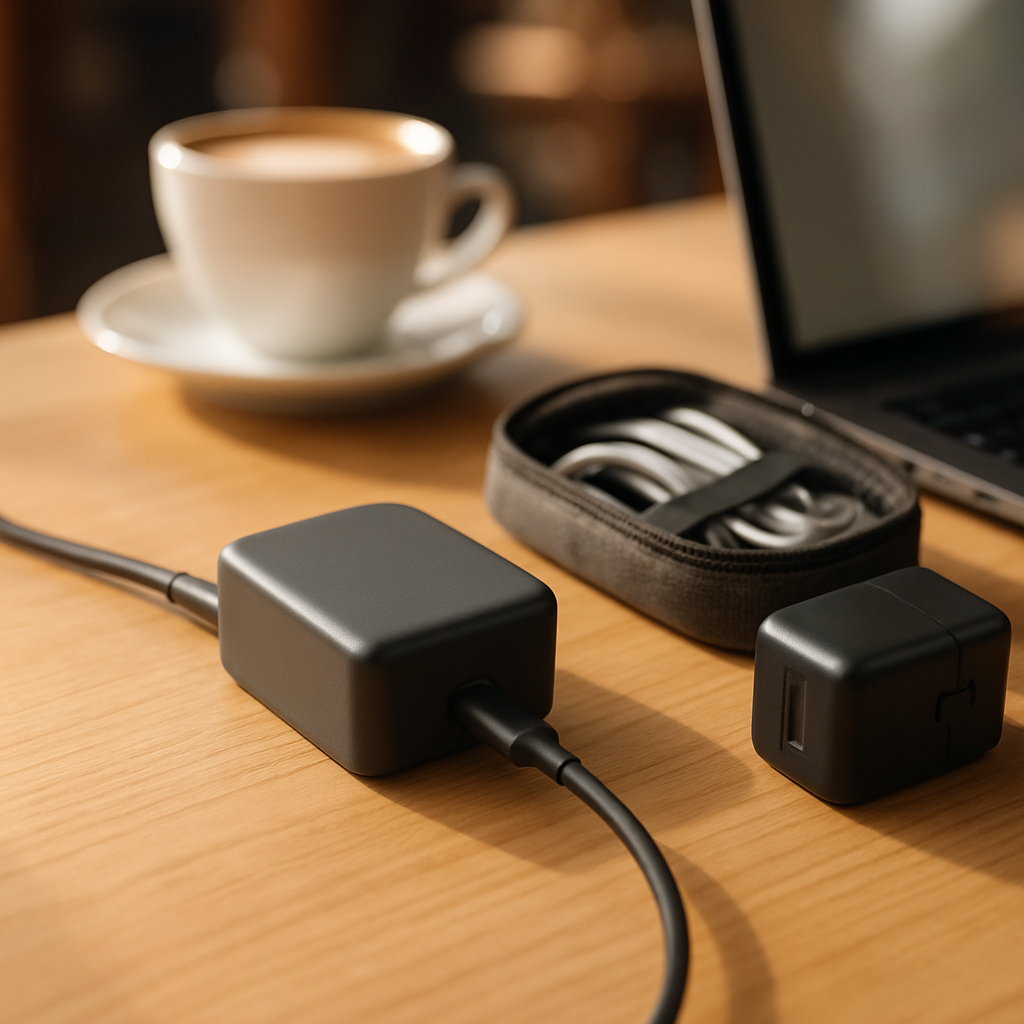
Imagine you just found the perfect café through Spotfinder. The coffee smells amazing. The sunlight hits your table just right. You feel ready to be productive. You reach into your bag to grab your laptop charger. Suddenly, you realize the problem. Your charger is a giant, heavy brick. It is so wide that it blocks the power switch on the wall. Or even worse, it covers the second outlet. Now, the person sitting next to you cannot plug in their phone. You feel embarrassed and frustrated. This small piece of plastic is ruining your perfect workday.
Does this sound familiar to you? Many remote workers struggle with old, bulky gear. They carry a different cable for every single device. Their bags are heavy and messy. This is where Compact Travel Chargers and Adapters come into play. These small tools solve your biggest travel problems. They save space in your backpack. They keep your devices safe in foreign countries. Most importantly, they give you the freedom to work from anywhere without stress.
In this guide, you will learn everything about staying powered up. We will look at how modern technology has shrunk these devices. You will discover why some chargers are faster than others. We will also explain how to stay safe when using different wall sockets. By the end, you will know exactly what to buy for your next trip. You will become an expert in Power and Charging Solutions for your mobile lifestyle.
What Exactly Are These Tools?
Let us start with the basics. Many people get confused between a charger and an adapter. They are not the same thing. Think of an adapter like a translator. If you speak English and your friend speaks French, you need a translator to talk. A travel adapter "translates" the shape of the plug. It lets your round-pin plug fit into a flat-hole socket. It does not change the electricity. It only changes the physical connection.
A charger is different. A charger is like a fuel pump for your car. It takes electricity from the wall and sends it into your battery. A Compact Travel Charger is just a smaller, more efficient version of this pump. It often uses modern materials to stay tiny. These devices are part of the broader category of Power and Charging Solutions that every digital nomad needs.
Here are the three most important things you need to know:
- Adapters change the plug shape for different countries.
- Chargers provide the actual power to your battery.
- Compact versions use Gallium Nitride (GaN) to stay small and cool.
Understanding this difference is your first step toward a better setup. If you go to London with a charger but no adapter, you cannot plug in. If you have an adapter but a broken charger, your laptop stays dead. You need both to work effectively in global cafés.
Key Attributes: What Makes a Great Travel Charger?
When you look for a new charger, you will see many numbers. Do not let them scare you. We will break them down into simple ideas. The first thing you notice is the size. This is the portability attribute. A good travel charger should be no bigger than a deck of cards. Some are even as small as a box of matches. This portability means you can fit it in your pocket. It does not weigh down your bag during a long day of "café hopping."
The next attribute is the power output, measured in Watts (W). Think of Watts like the speed of a water hose. A small hose (5W) is fine for a phone. A big fire hose (65W or 100W) is needed for a powerful laptop. Compact Travel Chargers and Adapters often have multiple ports. This means they have several "hoses" in one box. You can charge your laptop, your phone, and your headphones all at once. This saves you from carrying three different plugs.
Finally, we have the technology inside. Most modern compact chargers use Gallium Nitride, or GaN. This is a special material that replaces old silicon. It is much more efficient. This means the charger stays cool even when working hard. It also allows the charger to be 40% smaller than traditional ones. When a charger has GaN, it is a sign of high quality. It is a root attribute for any modern remote work setup.
The Most Important Facts in Short
- Portability: Look for small, lightweight designs that don't block other outlets.
- Wattage: Ensure the charger provides at least 65W for most laptops.
- GaN Tech: Choose Gallium Nitride for better efficiency and smaller size.
- Multi-Port: Aim for at least two USB-C ports and one USB-A port.
The Magic of USB-C Power Delivery
You might have noticed that almost all new gadgets use the same plug. This small, oval plug is called USB-C. It is the new standard for everything. In the past, every laptop had a different "barrel" plug. If you lost your cable, you were in trouble. Now, one cable can charge your MacBook, your Dell, and your Android phone. This system is called Power Delivery, or PD for short.
Power Delivery is like a smart conversation between your charger and your device. When you plug in your phone, the charger asks: "How much power do you need?" The phone answers: "I only need 20 Watts." The charger then sends exactly that amount. If you plug in a big laptop, the charger sends more power. This prevents your devices from getting too hot. It also makes charging much faster than old USB ports. USB-C Power Delivery is a core part of Power and Charging Solutions today.
Using USB-C also means you can carry fewer cables. One high-quality USB-C cable can do almost everything. However, you must make sure the cable is strong enough. Some cheap cables only carry data or low power. Look for cables rated for 100W. This ensures they can handle the full speed of your Compact Travel Chargers and Adapters. It is like having a wide pipe for your water hose. It makes the whole system work better.
Universal Adapters: One Tool for the Whole World
If you travel between countries, you know the struggle of different walls. The USA uses flat pins. Europe uses round pins. The UK uses three large rectangular pins. It is a mess! A universal adapter is your best friend here. It is one device with sliders. You push a button and the correct pins pop out. It is like a Swiss Army knife for electricity.
Many of these universal tools now have built-in USB ports. This is a game-changer. You can plug your laptop into the main socket. At the same time, you plug your phone into the USB port on the side. This effectively turns one wall outlet into three or four. In a busy café found on Spotfinder, this is a huge advantage. You become the hero of the café because you use less space.
Be careful with "all-in-one" adapters, though. Some are very bulky. They might fall out of loose wall sockets because they are too heavy. Look for a model that is compact and has a solid grip. Also, check for a built-in fuse. A fuse is a safety switch. If there is a power surge, the fuse breaks to protect your expensive laptop. It is a small price to pay for peace of mind.
How It All Connects: Your Remote Work Ecosystem
Your charger does not work alone. It is part of a team of tools. This team is what we call your "tech stack." For example, Portable Power Banks are like backup batteries. If the café has no outlets, you use the power bank. But eventually, you must charge the power bank. You use your travel charger for that. They are siblings in the world of Power and Charging Solutions.
Another related tool is the Tech Organizer Pouch. This is a small bag where you keep your charger and cables. Without a pouch, your cables get tangled. Tangled cables break faster. By keeping your Compact Travel Chargers and Adapters in a pouch, you extend their life. It also makes it easier to pack up when you move to a new location. You can see how one tool affects the others.
Think about these simple connections:
| If you have... | Then you can... | Practical Benefit |
|---|---|---|
| A GaN Charger | Charge faster in less space | More room for coffee on the table |
| A Universal Adapter | Work in any country | No need to buy new gear abroad |
| A 100W USB-C Cable | Power your laptop fully | Your battery stays full during calls |
Step-by-Step: Choosing Your Perfect Setup
Choosing the right gear can feel overwhelming. Let us do it together in five easy steps. First, look at your biggest device. This is usually your laptop. Check the bottom of the laptop or the original power brick. Look for a number followed by "W." This is the Wattage you need. If it says 65W, your new charger must be at least 65W. It can be higher, like 100W, but it should not be lower.
Second, count your devices. Do you have a phone? A tablet? Wireless earbuds? A Kindle? Most people have at least three things. Look for a charger with at least three ports. Ideally, choose one with two USB-C ports and one older USB-A port. This gives you the most flexibility for different cables. It ensures your Compact Travel Chargers and Adapters are future-proof.
Third, think about where you are going. If you stay in your own country, a simple compact charger is enough. If you travel globally, you need that universal adapter. Fourth, check the reviews for "coil whine." This is a tiny, annoying buzzing sound some cheap chargers make. You do not want that in a quiet café. Finally, buy from a trusted brand. Your laptop costs $1,000 or more. Do not risk it with a $5 charger from a gas station.
Common Mistakes Beginners Make
One huge mistake is buying an adapter that is too heavy. In many countries, wall sockets are old and loose. A heavy "all-in-one" adapter will simply fall out of the wall. This is very frustrating when you are trying to work. Another mistake is forgetting about voltage. In the USA, the wall provides 110 volts. In Europe, it is 230 volts. Most modern chargers are "dual voltage." This means they work everywhere. But always check the small text on the charger. It should say "100-240V."
Many beginners also buy the cheapest cables they can find. This is a bad idea. A bad cable can overheat or even start a fire. It might also charge your laptop very slowly. It is like trying to run a marathon while breathing through a straw. Spend a few extra dollars on a "certified" cable. It will save you money in the long run because it lasts longer. Good cables are a vital part of Power and Charging Solutions.
Finally, do not leave your charger plugged in when you leave the café. This seems obvious, but people forget it all the time. Travel chargers are small and easy to leave behind. Develop a habit of checking the wall before you walk away. Use a bright-colored cable if you are forgetful. A neon orange cable is much harder to miss than a black one!
The Spotfinder Perspective: Power in Public Spaces
When you use Spotfinder to find a workspace, you are looking for comfort. A "work-friendly" café usually has outlets. But sometimes, there is only one outlet for four people. This is where your compact gear makes you a better community member. If your charger is small, someone else can use the neighboring plug. This is basic café etiquette for remote workers. Being a "power hog" is not cool.
Also, consider the distance to the outlet. Some cafés have outlets under the bench or high on the wall. A charger with a long cable is much better than a "wall wart" that sits directly on the plug. Some Compact Travel Chargers and Adapters come with a detachable extension cord. This is the ultimate "pro move." It lets you sit in the comfortable chair while your power comes from two meters away. It gives you the best of both worlds.
By bringing the right tools, you help create a better environment for everyone. You are less stressed. You are more productive. You are ready for any situation the world throws at you. Whether you are in a library in Berlin or a beach hut in Bali, your power is secure. That is the true goal of a great travel setup.
Frequently Asked Questions for Beginners
Can I use my phone charger for my laptop?
Usually, no. Most phone chargers are only 5W to 20W. A laptop needs 45W to 100W. If the charger is too weak, your laptop might not charge at all. Or, it might just charge very slowly while the screen is off. Always match the Wattage to your largest device.
Is GaN technology dangerous?
Not at all! It is actually safer than old technology. Because it is more efficient, it produces less heat. Less heat means there is a lower risk of melting or fire. It is a modern improvement that makes electronics better for everyone.
Do I need a voltage converter?
For laptops and phones, you probably do not. Most "digital" devices have chargers that handle all voltages. You only need a converter for "analog" things like hair dryers or electric kettles. If you stick to work gear, a simple adapter is enough.
The 5 Most Important Realizations
We have covered a lot of ground today. Here are the five key things to remember for your journey:
- Small is powerful: Thanks to GaN tech, you can have a tiny charger that powers a big laptop.
- Adapters vs. Chargers: One changes the shape, the other provides the energy. You often need both.
- USB-C is King: Standardize your cables to USB-C to save weight and stress.
- Safety First: Look for fuses, voltage ranges (100-240V), and trusted brands to protect your gear.
- Be a Good Neighbor: Compact chargers help you share limited outlets in public workspaces.
Now you are ready to upgrade your bag. Start by checking your laptop's power needs today. Look at the "brick" you currently carry. Ask yourself: "Can I make this smaller?" The answer is almost always yes. A better setup is waiting for you. It will make every café visit on Spotfinder a much better experience. Happy working!