Power and Charging Solutions for Remote Work via Spotfinder
Tony
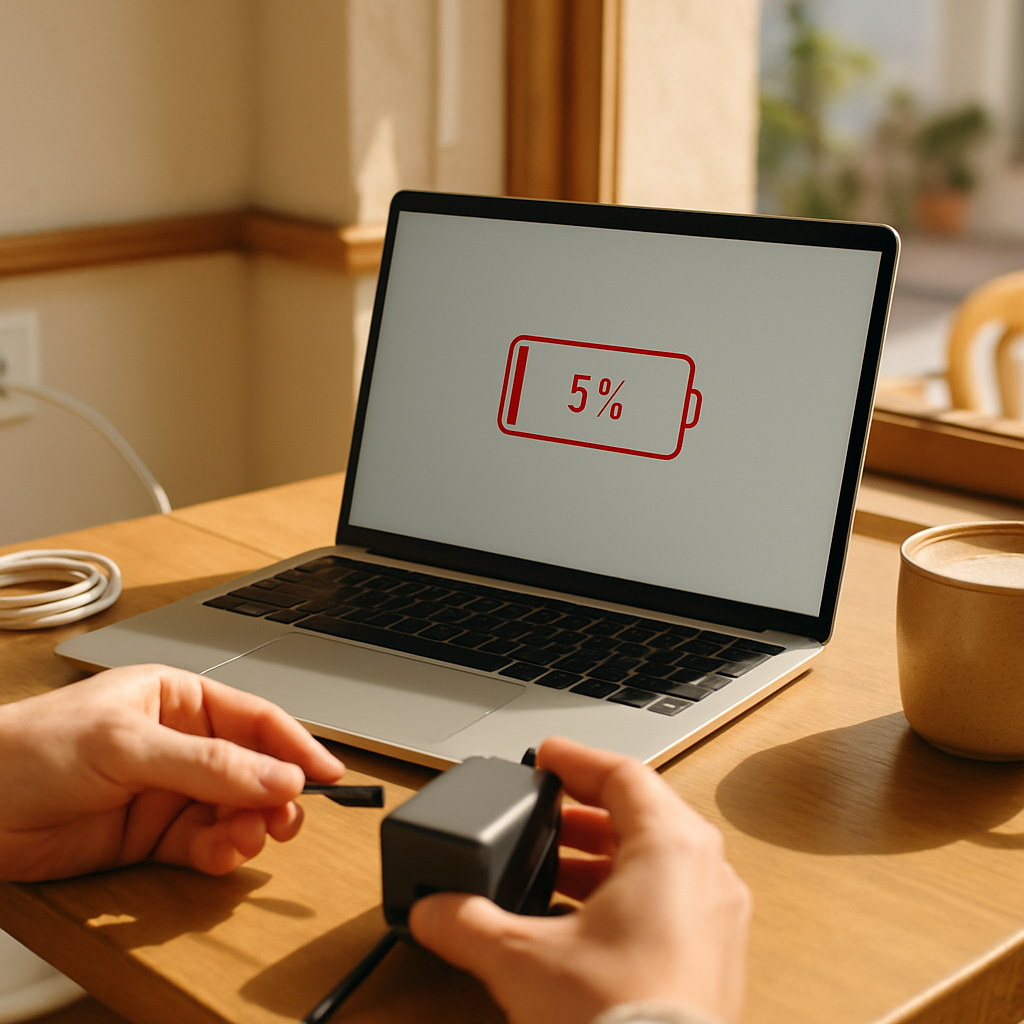
Imagine you are sitting in a beautiful, sun-drenched café in Lisbon. You have your favorite latte next to you. The atmosphere is perfect for getting some serious work done. You open your laptop and start typing your most important project of the month. Suddenly, the screen flickers and dims. A small, red icon appears in the corner of your screen. Your battery is at five percent. You look around the room with wide eyes. Every single table near a wall socket is already taken. The panic starts to rise in your chest. You realize your workday might end right now because you lack the energy to keep going. This stressful situation is something every remote worker knows too well. Understanding Power and Charging Solutions is the only way to prevent this kind of disaster. It is the invisible foundation of your mobile office. Without a solid plan for electricity, even the most expensive computer is just a useless piece of metal. In this guide, we will show you how to stay powered up anywhere in the world.
Staying productive while traveling or working from a local spot requires more than just a good internet connection. You need to manage your energy levels—both your own and your devices'. When you master the world of Power and Charging Solutions, you gain a new kind of freedom. You no longer have to beg for a seat near a dusty outlet. You can choose the best view in the café instead of the best plug. This knowledge is a core part of the Essential Café Work Setup and Equipment that every professional needs. We want to take the mystery out of technical terms like Volts, Amps, and Watts. By the end of this article, you will feel confident choosing the right gear for your specific needs. You will learn how to build a setup that is light, powerful, and reliable. Let’s start with the basics of how electricity moves from the wall into your digital life.
Power management is about balance and preparation. It means knowing how much energy your laptop consumes during a video call versus writing a simple document. It also means having the right tools to bridge the gap between wall sockets. This topic is closely related to the Essential Café Work Setup and Equipment because power is what makes all other tools function. If your headphones die, you cannot join the meeting. If your phone dies, you lose your two-factor authentication codes. We will explore the different ways to keep your "digital bucket" full of energy throughout the day. Through smart choices, you can work from a park, a train, or a bustling bistro without ever seeing a "low battery" warning again. This is the ultimate goal of a well-designed remote work lifestyle.
What are Power and Charging Solutions?
In simple terms, Power and Charging Solutions represent all the tools and methods used to provide electricity to your electronic devices. Think of your laptop or smartphone like a battery-powered car. To keep driving, you need to refill the tank or charge the battery. The chargers, cables, and external batteries you carry are the "fuel stations" for your digital journey. This entity belongs to the category of essential tech hardware. It is not just about having a cable. It is about having the right system to move energy efficiently. When we talk about these solutions, we are looking at how to store, convert, and transport power to where it is needed most. This is a vital skill for anyone who does not work in a traditional office every day.
Let’s use an everyday analogy to make this clearer. Imagine you are going on a long hike in the desert. You need water to survive. The water in your bottle is like the charge in your laptop battery. A large water tank at a rest stop is like a wall outlet in a café. A Best Portable Power Banks for Laptop Charging is like a sturdy flask you carry in your backpack. If your flask is too small, you will get thirsty before the next stop. If your straw is too thin, you cannot drink fast enough. In the world of technology, we use cables and chargers instead of flasks and straws. The goal is always the same: keep the system running so you can reach your destination. This understanding helps you stay calm when you are far away from a permanent power source.
There are three main things you must remember about any charging setup. First, the speed of charging is measured in Watts. Higher Watts usually mean faster charging. Second, the capacity of a battery tells you how much energy it can hold. This is often measured in Milliampere-hours (mAh) or Watt-hours (Wh). Third, compatibility is the most important factor. Not every charger works with every device. You need to ensure your "tap" fits your "bucket." Many modern remote workers find that USB-C Power Delivery Explained for Remote Workers is the key to this compatibility. It is a universal language that allows one single charger to power many different types of gadgets. Learning this language will save you space in your bag and stress in your mind.
Understanding the Core Attributes of Your Power Gear
When you look at a charger or a battery, you will see many small numbers and symbols. These are the attributes that define how the device performs. The first and most important attribute is the Power Output, measured in Watts (W). Imagine a garden hose. The Watts represent how much water is coming out of the hose every second. A laptop usually needs a "thick hose" with at least 60W or 100W to charge while you are using it. A smartphone only needs a "thin hose" of about 20W. If you use a charger that is too weak, your laptop battery might still drain even while it is plugged in. This is a common mistake that beginners make when they try to use a small phone charger for a large computer.
The second attribute is Portability, which involves the size and weight of your equipment. For a digital nomad, every gram in the backpack counts. In the past, powerful chargers were heavy "bricks" that took up a lot of space. Today, we have a new technology called GaN, which stands for Gallium Nitride. This material allows manufacturers to make Compact Travel Chargers and Adapters that are much smaller than traditional ones. These modern chargers do not get as hot and can fit into your pocket. Having a small but powerful charger means you are more likely to take it with you everywhere. This ensures you are always prepared for an unexpected work session in a new location.
The third attribute is the number and type of ports available on a single device. Most people are moving away from the old, rectangular USB-A ports to the new, oval USB-C ports. A good charging solution should have multiple ports. This allows you to charge your laptop, your phone, and your wireless earbuds all at the same time using just one wall outlet. This is where Extension Cords and Multi-Port Solutions become very helpful. In many crowded cafés, you might only find one available socket. If you have a multi-port charger, you can share that single socket with all your devices. You might even be able to help a fellow worker who also needs a quick charge. This makes you a hero in the remote work community.
The Most Important Facts in Brief
- Watts (W): This tells you the speed. Always check if the wattage matches your laptop's requirements.
- USB-C Power Delivery (PD): A smart technology that negotiates the safest and fastest speed between your charger and your device.
- GaN Technology: Look for this keyword to find chargers that are smaller, lighter, and more efficient.
- Capacity: For laptops, look for power banks with at least 20,000mAh to get a meaningful amount of extra work time.
How Different Entities Work Together
Your charging setup is not just a collection of random items. It is a connected ecosystem. The Power and Charging Solutions you choose must work in harmony with your laptop and your environment. For example, if you have a powerful laptop but a very short cable, you are still "tethered" to the wall. This limits where you can sit. By adding Extension Cords and Multi-Port Solutions to your bag, you increase your "reach." You can sit at a comfortable table further away from the outlet and still stay powered. This simple addition changes how you interact with the space around you. It turns a "bad" seat into a "good" one instantly.
Another important connection is between your charger and your backup battery. If you are using Best Portable Power Banks for Laptop Charging, you need a way to refill that battery quickly once it is empty. If you have a weak wall charger, it might take ten hours to fill up a large power bank. However, if you use high-quality Compact Travel Chargers and Adapters, you can often refill that same power bank in just two hours. This "If-Then" relationship is crucial. If you have a fast charger, then your backup battery is ready to use much sooner. This reduces the time you are vulnerable to a dead battery. Planning these connections ahead of time is the mark of a pro.
The concept of USB-C Power Delivery Explained for Remote Workers acts as the bridge between all these pieces. It ensures that your power bank doesn't send too much electricity to your phone and fry the circuits. It also ensures your laptop gets enough "juice" to stay awake during a heavy video editing session. This technology makes the whole system safer and more flexible. Because everything uses the same USB-C standard, you can carry fewer cables. This is a major benefit of the modern Essential Café Work Setup and Equipment philosophy. You want to do more with less gear. Minimalist setups are easier to pack and harder to lose.
A Step-by-Step Guide to Setting Up Your Power System
Setting up your personal power grid is easy if you follow a logical order. First, you must identify the power needs of your primary device. Look at the "fine print" on your original laptop charger. It will say something like "Output: 65W." This is your target number. You should always aim to have a charger that meets or exceeds this number. Second, choose a high-quality USB-C cable. Not all cables are created equal. Some can only carry 15W, while others can carry 100W or even 240W. Make sure your cable can handle the speed of your charger. A "slow" cable will act like a bottleneck in your system, slowing everything down.
The third step is to prepare for the "worst-case scenario." This means having a backup plan for when there are no outlets at all. Investing in Best Portable Power Banks for Laptop Charging is the best way to handle this. When you arrive at a café, try to use the wall power first. Save the energy in your power bank for when you are truly stuck. Fourth, organize your gear so you can find it quickly. Use a small pouch to keep your Compact Travel Chargers and Adapters and cables together. This prevents them from getting tangled or damaged in your bag. A tidy kit is a reliable kit, and reliability is everything when you have a deadline.
Common Mistakes for Beginners to Avoid
| Mistake | Why it happens | The Fix |
|---|---|---|
| Using a phone charger for a laptop | They look the same (USB-C) | Check the Wattage (W) on the brick |
| Buying the cheapest possible cables | To save a few euros | Buy cables rated for 60W or 100W |
| Leaving the power bank empty | Forgetting to charge it overnight | Make charging your bank a daily habit |
| Blocking other people's outlets | Big chargers take up two spaces | Use Extension Cords and Multi-Port Solutions |
Finally, always test your gear at home before you head out to a new location. There is nothing worse than arriving at a beautiful mountain cabin only to realize your new adapter doesn't fit the local sockets. Check the plug types of the country you are visiting. Many Compact Travel Chargers and Adapters come with swappable heads for different countries. This is an incredible feature for digital nomads who move between continents. By following these steps, you build a "safety net" around your work. You can focus on being creative and productive because you know your tools will stay powered until the job is done.
Deep Dive: USB-C Power Delivery and Safety
You might hear people talking about "PD" all the time. As we mentioned, USB-C Power Delivery Explained for Remote Workers is a crucial technical standard. In the old days, every laptop had a different, proprietary round plug. If you lost your charger, you were in big trouble. USB-C PD changed everything. It is a communication protocol. When you plug a PD charger into a PD laptop, they have a "handshake." The laptop says, "I need 20 volts and 3 amps." The charger says, "I can do that!" This conversation happens in milliseconds. It ensures that the exact right amount of power is delivered safely. This is why you can often use the same charger for your Nintendo Switch, your iPad, and your MacBook.
Safety is a huge part of this technology. High-quality Power and Charging Solutions have built-in chips to prevent overheating. If a battery gets too hot, the charger will automatically slow down the flow of electricity. This protects your expensive devices from damage. You should be careful with very cheap, unbranded chargers from random websites. They often skip these safety features to save money. A bad charger can cause a fire or destroy your laptop's battery. Always invest in reputable brands that follow the official USB-C PD specifications. Your peace of mind is worth the extra few euros. It is an investment in the longevity of your hardware.
Another benefit of this technology is "bi-directional" charging. This means some devices can both send and receive power through the same port. For example, your laptop can charge your phone while it is plugged into the wall. Or, in some cases, a tablet can give a little bit of emergency power to a dead phone. This flexibility is what makes the modern Essential Café Work Setup and Equipment so powerful. You have a web of energy that you can move around based on your priorities. If your phone is the most important tool for a call, you can redirect all available power to it. Understanding these "smart" features helps you manage your digital life more effectively.
Practical Tips for Café Hopping and Power Hunting
When you are scouting for a new workspace on Spotfinder, power availability is a top filter to check. But even a "work-friendly" café can have challenges. Sometimes the only outlet is behind a couch or near the floor. This is exactly why Extension Cords and Multi-Port Solutions are so important. A small, portable power strip can turn one hidden outlet into three accessible ones. It also allows you to be a good neighbor. If someone else needs power, you can offer them a spot on your extension cord. This is a great way to make friends in the remote work community. It turns a competitive situation into a collaborative one.
Be aware of the etiquette involved in using a café's electricity. Electricity is not free for the owner. If you stay for four hours and use their power, make sure you buy more than just a single small tea. Support the business that supports your work. Also, try to be discreet with your cables. Don't create a "trip hazard" across a busy walkway. Use a cable tie or a Velcro strap to keep your Extension Cords and Multi-Port Solutions neat and tidy. If the café is very busy, consider using your Best Portable Power Banks for Laptop Charging for a while to free up a wall socket for someone else. This kind of "power etiquette" makes the world a better place for all remote workers.
Finally, remember that temperature affects how your batteries perform. If you are working outside on a very hot day, your devices will charge more slowly. They might even stop charging completely to protect themselves from the heat. Try to keep your chargers and batteries in the shade. If you are in a very cold climate, battery life can drop significantly. Keep your power bank in an inside pocket close to your body heat. These small environmental adjustments can double the effectiveness of your Power and Charging Solutions. Being aware of your surroundings is just as important as having the right gadgets in your bag.
Summary and Next Steps
We have covered a lot of ground today. You have learned that Power and Charging Solutions are about much more than just cables. They are about speed, capacity, and smart communication between devices. By choosing the right Compact Travel Chargers and Adapters, you can keep your bag light and your devices full. By using the right power banks, you can work from anywhere without fear. You now understand that USB-C Power Delivery Explained for Remote Workers is the key to a modern, flexible setup. You are ready to build a system that supports your freedom instead of limiting it. You have moved from a beginner to someone who can confidently manage their own digital energy.
Your 5 Key Takeaways
- Always check Wattage: Make sure your charger provides enough power for your specific laptop model.
- Invest in GaN: Choose Gallium Nitride chargers for the best balance of power and portability.
- Quality Cables Matter: A 100W charger is useless if your cable only supports 15W.
- Be Prepared: Carry a high-capacity power bank for situations where no wall outlets are available.
- Etiquette is Key: Use multi-port solutions to share power and support the cafés you work in.
Your next step is to audit your current gear. Look at your chargers and cables today. Do they meet the standards we discussed? If not, consider a small upgrade. You don't need to buy everything at once. Start with a good multi-port charger and one high-quality cable. Once you experience the convenience of a reliable power setup, you will never want to go back to the old way. You can find more advice on Essential Café Work Setup and Equipment on our other pages. We are here to help you navigate every aspect of the location-independent lifestyle. Go out there, find a beautiful spot, and stay powered up!
Frequently Asked Questions
Can I use my phone charger for my laptop in an emergency?
In many cases, yes, if it is a USB-C charger. However, it will be very slow. If your laptop is turned off, it might gain some charge overnight. If you are using the laptop, the battery will likely still go down, just more slowly than usual. It is always better to have a dedicated high-wattage charger.
Are power banks allowed on airplanes?
Yes, but there are rules. Most airlines allow power banks with a capacity of up to 100 Watt-hours (Wh). This is roughly 27,000mAh. You must keep them in your carry-on luggage. Never put them in checked baggage because of fire safety regulations. Always check your airline's specific website before you fly.
Why does my charger get hot when I'm working?
Converting electricity from the wall into the form your laptop needs creates heat. This is normal. However, it shouldn't be so hot that it burns to touch. Modern GaN chargers stay cooler than old ones. If a charger smells like burning plastic, unplug it immediately and stop using it.