Spotfinder: Screen Privacy and Anti-Glare Solutions
Tony
The Curious Neighbor in the Busy Coffee Shop
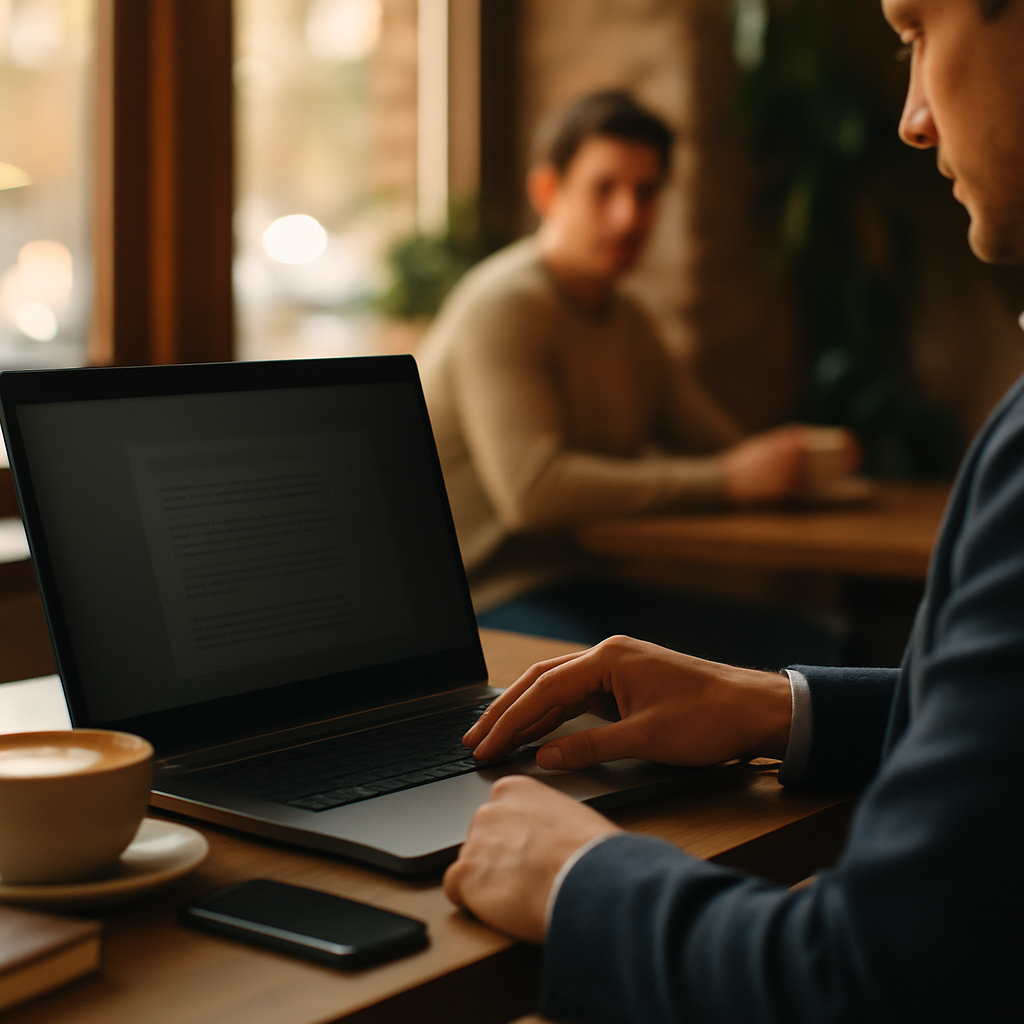
Imagine you are sitting in a cozy, sun-drenched café. You found the perfect corner with a soft chair and a great latte. You open your laptop to finish a private work report. Suddenly, you feel a pair of eyes on your screen. A person at the next table is glancing over your shoulder. They can see every word you type. At the same time, the bright sunlight from the window creates a huge white glare on your monitor. You can barely see your own text because the screen looks like a mirror. This situation is frustrating and makes your work day much harder.
This is where Screen Privacy and Anti-Glare Solutions become your best friends. These tools help you keep your information secret from strangers. They also stop the sun or bright lights from hurting your eyes. When you work in public spaces, you face many distractions. Protecting your digital space is just as important as finding a good WiFi connection. You want to feel safe and comfortable while you focus on your tasks.
Understanding these solutions is a vital part of your Laptop and Device Considerations. Most people think only about the speed of their processor or the size of their hard drive. However, the way you interact with your screen changes your whole experience. If you cannot see your work or if you feel watched, your productivity will drop. Learning about these filters will help you work better in any environment you choose.
What Exactly Are Screen Privacy and Anti-Glare Solutions?
Screen Privacy and Anti-Glare Solutions are physical layers you put over your display. Think of them like specialized sunglasses for your computer. A privacy filter acts like a set of vertical blinds for your screen. If you look at it from the front, everything is clear. If someone looks from the side, the screen appears black or dark. This technology ensures that your data stays between you and your device.
Anti-glare solutions work a bit differently. They have a special texture that breaks up light. Imagine the difference between a shiny, glossy photo and a matte photo. A glossy photo reflects every light bulb in the room. A matte photo looks soft and does not show reflections. Anti-glare filters turn your shiny screen into a matte surface. This makes it much easier to read text even under very bright lights.
When we talk about these items, we are looking at essential accessories. They are not just "nice to have" additions for your laptop. They are functional tools that solve real-world problems for remote workers. Whether you are a student or a professional, these layers protect your eyes and your privacy. They belong in the same category as high-quality chargers or protective cases.
The Essentials in Brief
- Privacy filters block side views to prevent "shoulder surfing."
- Anti-glare coatings reduce reflections from windows and lamps.
- These solutions are physical layers made of plastic or glass.
- They protect your screen from scratches and fingerprints too.
- Most filters are easy to attach and remove whenever you want.
Key Attributes of Modern Screen Filters
To choose the right filter, you need to understand its core features. Not all filters are the same. Some focus only on privacy, while others focus only on light. Many modern products combine both features into one piece of material. You should look for specific qualities that match how you work every day. Let us look at the most important attributes in detail.
1. The Privacy Viewing Angle
The viewing angle is the most critical part of a privacy filter. Most filters offer a 60-degree viewing area. This means you can see the screen clearly if you sit directly in front of it. However, if someone stands at a 30-degree angle to the side, the screen goes dark. This feature is like a secret tunnel for your eyes. Only the person in the "sweet spot" can see the content.
A privacy filter [Entity] limits [Predicate] the viewing angle [Object]. This is a simple rule of physics. The filter uses tiny vertical slats called micro-louvers. These slats are so small you cannot see them with your eyes. They act like tiny fences that block light from traveling sideways. This attribute is vital if you work with sensitive customer data or private emails.
2. Light Diffusion and Surface Finish
The surface finish determines how the screen handles reflections. Glossy screens look beautiful in dark rooms but are terrible in bright cafés. A matte finish has [Entity] a textured surface [Attribute] that scatters light [Value]. Instead of reflecting a window like a mirror, the light spreads out in many directions. This makes the reflection look "fuzzy" or disappear entirely.
You can often choose between a "matte" or a "glossy" side on many filters. Many filters are reversible. One side is shiny to make colors pop. The other side is matte to stop glare. This flexibility is a great part of your Laptop and Device Considerations. You can flip the filter depending on where you are sitting that day. This ensures you always have the best possible view of your work.
3. Attachment Methods
How you put the filter on your laptop matters a lot. There are three main ways to do this. Some use small plastic tabs that stick to the side of your monitor. Others use double-sided adhesive strips. The most modern versions use magnets. Magnetic filters are very popular because you can take them off in one second.
- Magnetic attachment: Best for people who move around often.
- Adhesive strips: Best for a permanent, "always-on" solution.
- Slide-on tabs: Good for switching between different filters quickly.
- Static cling: Uses no glue and leaves no residue on the glass.
4. Blue Light Filtering
Many privacy and anti-glare solutions also include blue light protection. Blue light is a type of light that comes from digital screens. It can make your eyes feel very tired after a long day. It can also mess with your sleep if you work late at night. A good filter will block about 30% to 50% of this harmful light. This feature helps with Eye Strain Prevention in Variable Lighting, especially in dark environments.
Why Should You Care About These Solutions?
Working in public is the new normal for many people. Sites like spotfinder.work help you find great places to be productive. However, these places are shared with many other people. You do not always know who is sitting next to you. A stranger might see your passwords or company secrets. This is called "visual hacking," and it happens very quickly.
Beyond security, your physical health is at risk. Glare causes you to squint your eyes. Squinting leads to headaches and neck pain because you lean closer to the screen. If you can see clearly without straining, you will feel more energetic. You will be able to work longer and feel better when you finish. This is why these solutions are part of a smart ergonomic setup.
Imagine your laptop is like your home. You would not leave your windows wide open for everyone to look inside. You use curtains for privacy and to block the hot sun. Screen Privacy and Anti-Glare Solutions are simply curtains for your digital window. They give you control over your environment no matter where you are. This control leads to peace of mind and better focus.
| Problem | Solution | Result |
|---|---|---|
| Shoulder Surfing | Privacy Filter | Information remains confidential |
| Sunlight Reflections | Anti-Glare Coating | Clear visibility outdoors |
| Eye Fatigue | Blue Light Blocking | Less strain and better sleep |
| Screen Scratches | Physical Protective Layer | Longer device lifespan |
Understanding the Connection to Your Workspace
Your screen setup does not exist in a vacuum. It is closely linked to other parts of your mobile office. For example, if you use Portable Second Monitors, you might need two filters. Many people forget that their second screen is also visible to others. Keeping both screens private is essential for total security. This ensures that your entire workspace is protected from prying eyes.
There is also a strong link between physical security and digital security. Using a privacy screen is like using Security on Public WiFi Networks. One protects your data from being seen through the air (WiFi). The other protects your data from being seen by eyes (Privacy Screen). You need both to be truly safe in a café or coworking space. Do not ignore one while focusing only on the other.
When you pack your gear, think about your bag. The Best Laptop Backpacks for Café Hoppers usually have a dedicated laptop sleeve. This sleeve protects your device, but a screen filter adds another layer. It prevents the keyboard from scratching the screen while the laptop is closed. This "hidden" benefit keeps your expensive device looking new for a much longer time. Everything in your kit works together to make your work life easier.
How to Apply a Screen Filter: A Step-by-Step Guide
Many beginners are afraid of putting a filter on their screen. They worry about bubbles or getting it crooked. Modern filters are much easier to handle than old ones. Most of them do not use permanent glue. You can adjust them until they are perfect. Follow these simple steps to get a professional result on your first try.
- Clean your screen thoroughly: Use a microfiber cloth and a tiny bit of screen cleaner. Remove every speck of dust and every fingerprint. Even a tiny hair can cause a bump under the filter.
- Identify the sides: Check if your filter is reversible. Decide if you want the matte side (for anti-glare) or the glossy side (for bright colors). Most people choose the matte side for café work.
- Choose your attachment method: If using magnets, just hover the filter near the top of the screen. It will snap into place. If using adhesive strips, place them on the corners of the filter first.
- Align the bottom edge: Rest the bottom of the filter against the bottom frame of your monitor. This helps you keep it straight as you tilt it upward.
- Press and smooth: Gently press the filter against the screen. Start from the center and move toward the edges. This pushes any trapped air out to the sides.
One common mistake is forgetting to clean the filter itself. Dust can stick to the back of the filter while you are installing it. If you see a spot, do not panic. Simply lift the corner, use a piece of clear tape to "grab" the dust, and lay it back down. This trick works perfectly for almost any screen protector. Take your time and do not rush the process.
Common Beginner Mistakes and How to Avoid Them
The biggest mistake is buying the wrong size. Laptop screens are measured diagonally in inches. However, the width and height can vary even if the diagonal size is the same. This is called the "aspect ratio." Always measure the actual width and height of your viewable screen in millimeters. Then, compare those numbers to the filter you want to buy.
Another mistake is leaving the filter on all the time in dark rooms. Privacy filters reduce the brightness of your screen. In a dark room, this might make the screen too hard to see. If you have a magnetic filter, take it off when you are alone at home. This saves your eyes from unnecessary strain. Remember that your Laptop and Device Considerations should include the environment you are in at that moment.
Finally, some people forget that privacy filters only block horizontal views. They do not block someone standing directly behind you. If someone is tall and looking down over your head, they can still see everything. Always be aware of your surroundings. Try to sit with your back against a wall. This physical position, combined with a filter, creates the ultimate private workspace.
Quick Tips for Success
If you are struggling to decide, follow these three rules:
- Go for magnetic if you want convenience.
- Choose matte if you work near windows or outside.
- Always check the blue light rating if you work long hours.
The Future of Screen Technology
Technology is changing very fast. Some new laptops have privacy filters built directly into the screen. You can press a button, and the screen becomes private instantly. This is very cool, but it is also very expensive. For most of us, a removable filter is a better and more affordable choice. It allows you to upgrade your privacy without buying a whole new computer.
We are also seeing improvements in materials. Newer filters are thinner and clearer than ever before. They do not make the text look "grainy" or "blurry." High-quality Screen Privacy and Anti-Glare Solutions now support touchscreens too. You can still use your finger or a pen through the filter. This is a huge benefit for people who use 2-in-1 laptops or tablets for their work.
In the coming years, we might see "smart" filters. These could change their transparency based on who is looking at the screen. Imagine a filter that knows it is you and stays clear, but hides everything when it detects a stranger. Until then, the physical filters we have today are the most reliable way to stay safe. They are simple, effective, and do not require any battery power to work.
Finding Your Perfect Working Spot
When you have your privacy filter ready, you can go anywhere. You are no longer limited to the dark corners of a café. You can sit by the window and enjoy the view. You can sit in the middle of a busy lounge without feeling exposed. Your gear gives you the freedom to choose your workspace based on your mood, not just the lighting.
Using tools like spotfinder.work becomes even more fun. You can look for cafés with great terraces or bright sunrooms. You know that your anti-glare screen will handle the light perfectly. You can also visit popular spots without worrying about crowded tables. Your privacy filter will keep your work hidden even if the person next to you is only inches away.
This freedom is the core of the remote work lifestyle. It is about removing the barriers that stop you from being productive. Bad lighting and lack of privacy are two of the biggest barriers. Once you solve them with a simple screen layer, the whole world becomes your office. You can focus on what matters most: your creativity and your goals.
Summary of Key Lessons
We have covered a lot of ground today. You now know that screen filters are more than just plastic sheets. They are sophisticated tools for privacy and comfort. They help you maintain your professional boundaries in a public world. Let us look at the five most important takeaways from this guide.
- Privacy is a priority: Use filters to stop people from seeing your confidential data in public places.
- Glare is a health issue: Anti-glare surfaces reduce eye strain and headaches caused by reflections.
- Choose your fit: Magnetic filters offer the best balance of convenience and protection for mobile workers.
- Measure twice: Always check the exact width and height of your screen before buying a filter.
- Complete your kit: Think of screen protection as a key part of your overall device strategy.
Your next step is simple. Take a look at your laptop screen right now. Do you see a reflection of the lamp behind you? Can you see your screen clearly from the side? If the answer is yes, it might be time to invest in a solution. Start by searching for a filter that matches your laptop model. Read some reviews and see what other café workers recommend. You will be surprised at how much better your work day feels with a little bit of extra protection.
Remember that being a "digital nomad" or a remote worker is a skill. Part of that skill is managing your equipment. By taking these small steps, you are becoming a pro. You are protecting your health, your data, and your focus. That is a very smart way to work. Enjoy your next café session with your new, private, and glare-free screen!
Frequently Asked Questions
Can I use a privacy filter on a touchscreen?
Yes, most modern filters work perfectly with touchscreens. Look for "touch-compatible" in the product description. The thin material allows the electrical signals from your finger to pass through to the screen.
Will the filter make my screen look blurry?
High-quality filters are very clear. If the screen looks blurry, you might have the filter on backward. Also, make sure both the screen and the filter are perfectly clean. Any oil or fingerprints can cause a "fuzzy" look.
Are magnetic filters better than adhesive ones?
It depends on your style. Magnets are better if you want to remove the filter often. Adhesives are better if you want the filter to stay on even when you shake the laptop. Most café workers prefer magnets for their flexibility.